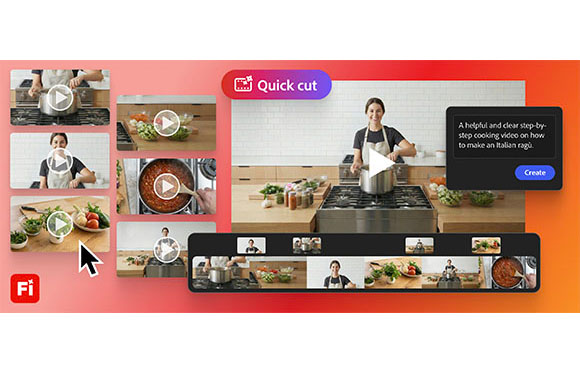
SAN JOSE, CA – Adobe has introduced Quick Cut, a new tool in the Firefly video editor that’s designed to help creators get their ideas off the ground quickly. Quick Cut lets creators upload their own b-roll or generate new footage and instantly turn it into a structured first cut.
According to Adobe VP & head of product marketing for creators, Mike Polner, Quick Cut can give video creators a clear starting point that they can further shape and refine.
“It’s a fast way to get from ‘I have clips’ to ‘I have an edit I can work with,'” says Polner.
Quick Cut is well suited for product reviews, reporters, podcasters and marketing professionals. It reduces time spent stitching hours of footage together, allowing them to focus on story, narrative and strategy.
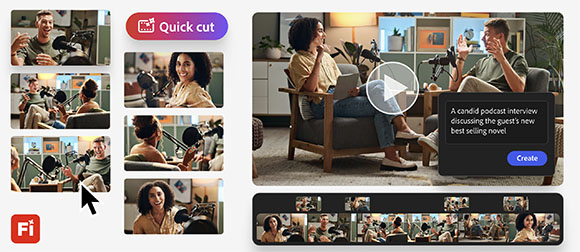
To get started with Quick Cut, users simply upload their footage and describe in their own words what they want the video to be about. For example, is it an interview, a product demo, a day-in-the-life video, or travel vlog? Firefly uses the description to deliver a narrative-first assembly. It also gives users the option to provide more guidance. They can even input a shot list or a script to be more precise.
Up front, users can choose aspect ratio, pacing and duration. A b-roll track can also be added. From an experimentation standpoint, Quick Cut allows for the generation of multiple directions from images and video clips. In addition, still images can be given motion via image-to-video generations.
To check out Quick Cut, visit firefly.adobe.com. Be signing up before March 16th, users can get unlimited image and Firefly video generations up to 2K resolution in the Adobe Firefly app. The offer applies to customers on Firefly Pro, Firefly Premium, 4,000-credit, 7,000-credit, and 50,000-credit plans, and includes unlimited generations with industry-leading image models, including Google Nano Banana Pro, GPT Image Generation and Runway Gen-4 Image, as well as Adobe’s commercially safe Firefly image and video models.