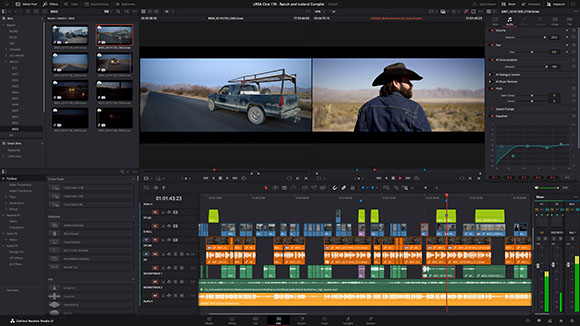
FREMONT, CA – Blackmagic Design introduced DaVinci Resolve 21 just prior to next weekend’s NAB Show in Las Vegas, where it will be hosting demos of a range of new products. The company calls V.21 a major update, with highlights that include integrated photo image editing capabilities via the Photo page. DaVinci Resolve’s node-based workflow can now be used on still images. It’s possible to add nodes in series or parallel to build complex grades, apply different corrections to different parts of an image simultaneously, and use shared nodes to apply the same look across an entire album of photos at once. The Photo page also lets users reframe and crop images at their original source resolution and aspect ratio.
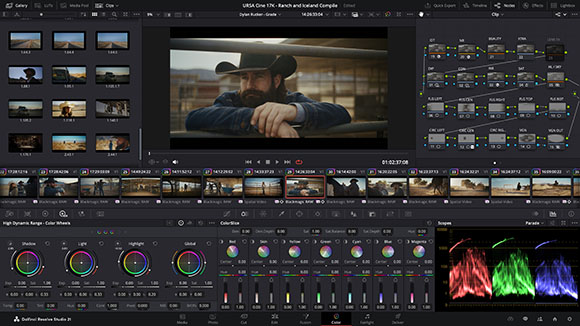
LightBox view on the Photo page gives customers an overview of their entire album with grades applied. Users can select any image and grade it live while seeing the results update across the whole collection in realtime. Material can be filtered by graded, ungraded, star rating, flag and clip color.
New camera controls let users tether a Sony or Canon camera directly to DaVinci Resolve for live image capture. Camera settings, such as ISO, exposure, white balance, can be adjusted, and capture presets can be saved to lock in a consistent look before a shoot.
There are a number of new AI tools in Resolve 21. IntelliSearch allows for fast content searching. Speech Generator transforms written text into a spoken voice. CineFocus allows users to refocus with realistic bokeh and lens effects. The AI Face Age Transformer lets users age or de-age a face, while the Face Reshaper can be used to reshape and resize facial features. Additional AI features include Blemish Removal, Motion Deblur and UltraSharpen.
On the VFX side, the upcoming release features Krokodove, the popular and ever-growing library of compositing tools. The collection ranges from utility tools that improve productivity, to vector and data tools, to customizable 2D and 3D graphic templates that can be used throughout Resolve.
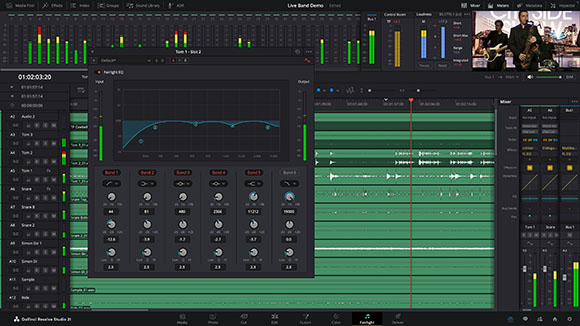
The Fairlight soundtrack tool also receives improvements. To optimize timeline space, users can now assign audio tracks to a folder and collapse it into a single composite view. When collapsed, mini rectangles represent the folder contents, indicating the number and duration of the contained clips. They simply expand the folder to access individual tracks.
DaVinci Resolve 21 also receives updates for immersive tools and workflows. The standard immersive option in the master project settings allows users to work with any supported immersive formats for delivery to platforms such as Meta Quest and YouTube VR. It’s also now possible to orient immersive media using spherical Panomap rotation for more intuitive pitch, tilt, pan, yaw and roll adjustments. Additionally, it is now possible to apply ILPD retargeting data in the Fusion page, allowing for more advanced stereoscopic media handling and compositing.